
The List View option is used to view the full & partial case labels & their statuses.
To access the List View option:
Click the Shipping Module or click the Labels option under the Shipping Activities panel on the System Alerts screen.(See Fig. 1)
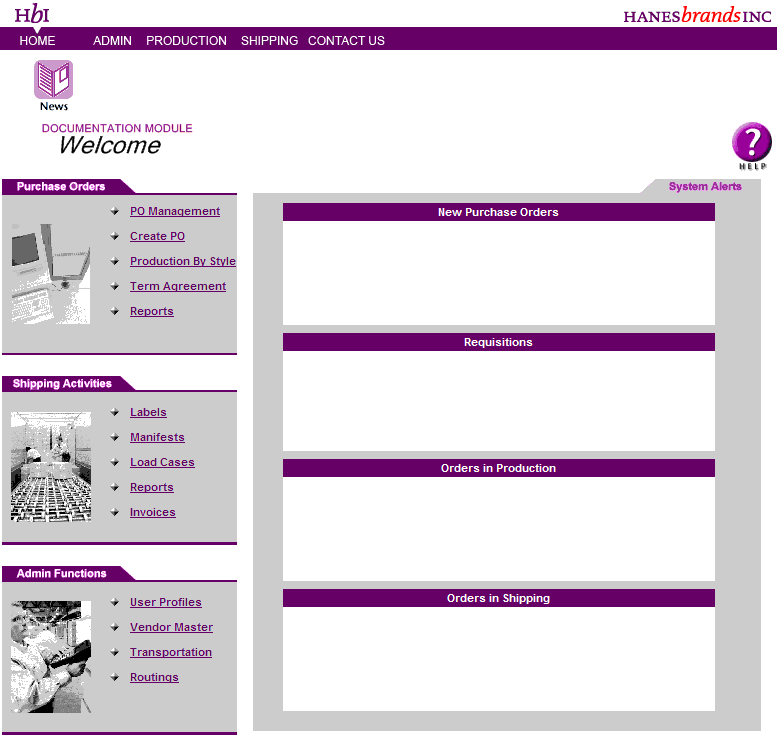
Fig. 1
The Labels Module Welcome screen is displayed. (See Fig. 2)

Fig. 2

NOTE: The Vendor name for a vendor is displayed by default. The Vendor Facility displays only the facility names that have orders for them.
|
From Date: |
Enter a valid date in the mm/dd/yyyy format in the From
Date field or click the |
|
To Date: |
Enter a valid date in the mm/dd/yyyy format in the To
Date field or click the |
|
Style: |
To search labels created for a style, enter a valid style in the Style field. |
|
Color: |
To search for labels created for a color, enter a valid color in the color field. |
|
Attribute: |
To search for labels created for a attribute, enter a valid attribution code in the Attribute field. |
|
Size: |
Enter a Size in the Size field. |
|
Revision: |
Enter a Revision code in the Revision Code field. |
|
Starting Label #: |
To search for labels within a specific range, enter a starting label # in the Starting Label # field. |
|
Ending Label #: |
Enter the ending label # in the Ending Label # field. |
|
Search: |
Click the Search button. The View List panel displays the label information. (See Fig. 3) |
|
Or View By Case Label: |
To search for a particular label & its details, enter a label id in the Or View By Case Label field & click the View button. The |
|
Delete Labels: |
Select the Cancel checkbox under the Cancel column to cancel an unassigned label. |
Note: To view the label details for a particular label, click the underlined label id under the View List panel.
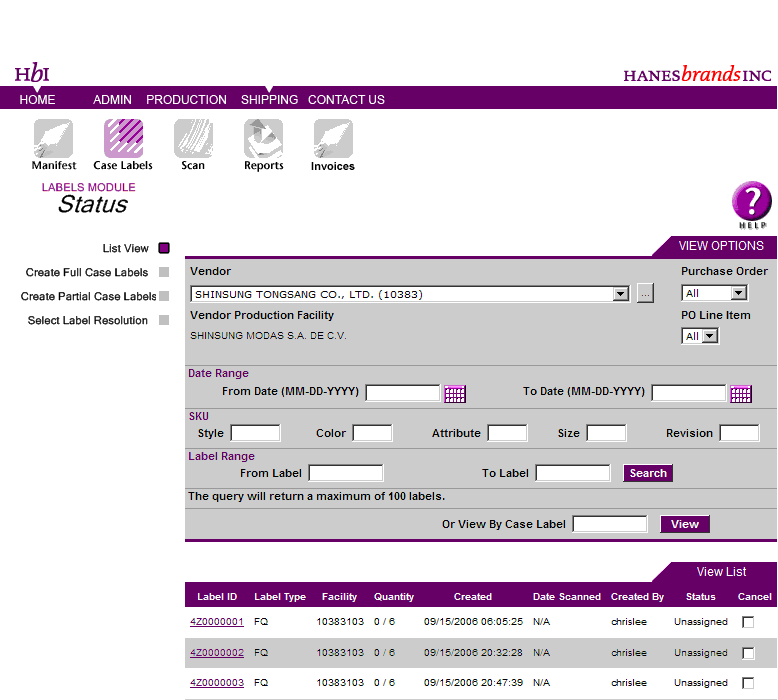
Fig. 3
Click on an underlined Label ID. The Label Details are displayed. (See Fig. 4)
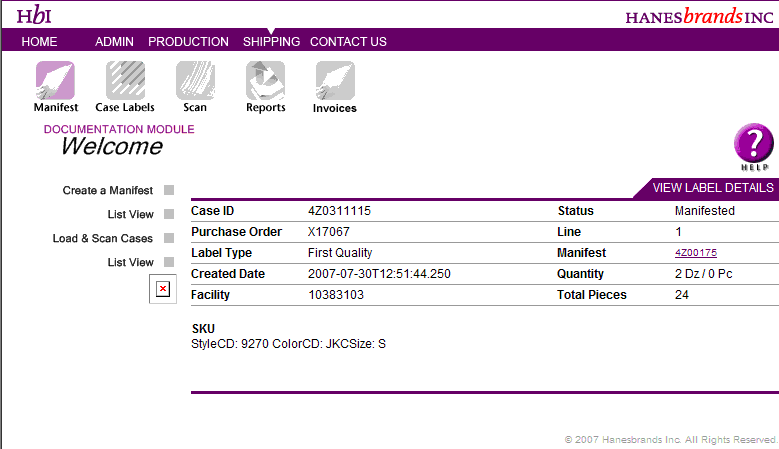
Fig. 4
 for a calendar control
to select a date.
for a calendar control
to select a date.